Designing a reading tracker from a prompt: Chapter
Five real design captures, the prompt and a visual refinement for a reading-tracker concept. Learn how to review a small progress-logging flow.
By Cicrew · Updated
Make logging a reading session feel small
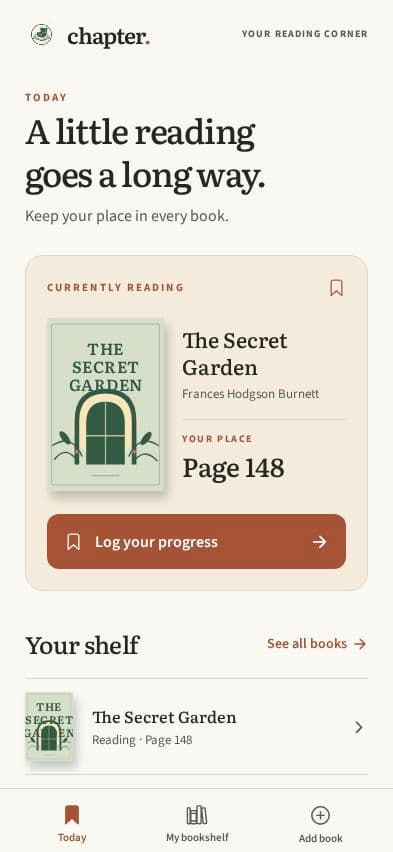
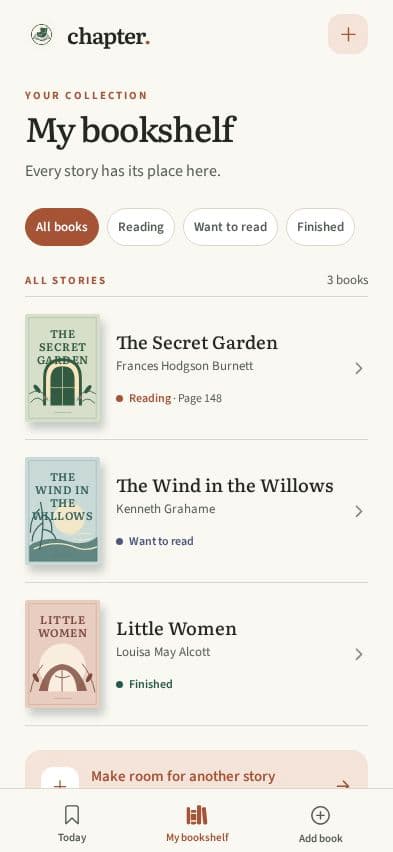
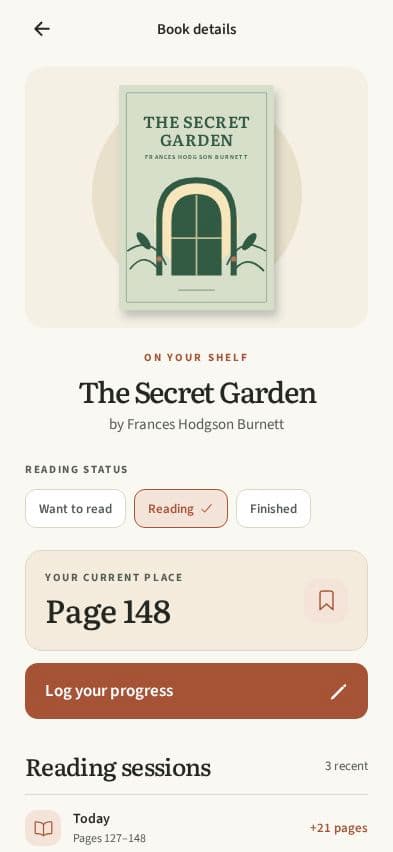
Chapter is a concept for casual readers who want to remember their current book and the page they reached. We focused the design on one short loop: open the current book, enter the new page and see the updated progress.
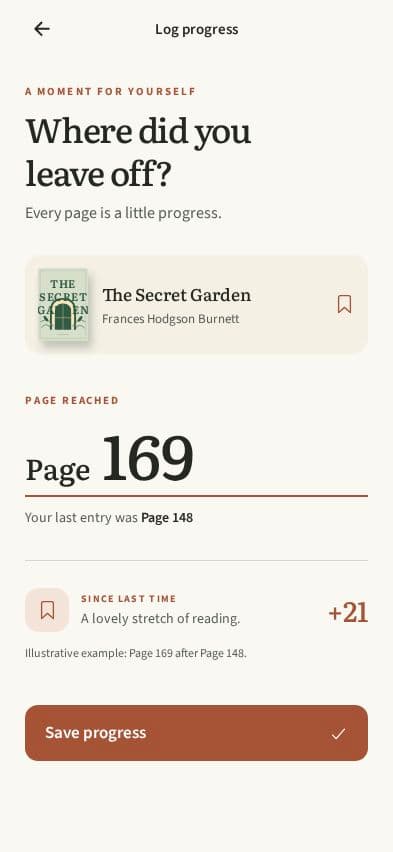
The screens were created in Cicrew on September 28, 2026 and use demo reading history. We stopped at Design. The images do not demonstrate saved progress, live book search, working accounts or a published mobile app.
A reading app can quickly grow into recommendations, social feeds and catalog integrations. Those are outside this concept. The design question here is whether returning to one book and logging progress is easy to understand.
The exact starting prompt
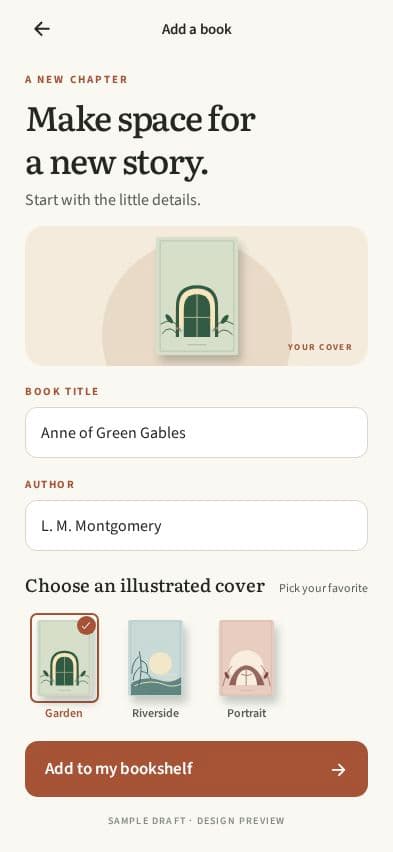
We requested the ordinary reading screens and an empty bookshelf. The final set contains an Add a book form; a separate empty-bookshelf capture is still missing and should be requested before implementation.
A mobile app called Chapter helps casual readers keep track of their current book and log a short reading session. Include Today with the current book, My bookshelf with reading status, Book details, and Log progress with a page-count input. Also design the empty bookshelf with a clear Add your first book action. Use warm paper tones, dark ink, restrained terracotta accents and simple illustrated book covers with fictional titles. Prioritize readable typography and a quick progress flow over social features. This is a CiCrew marketing design concept. Complete Idea, Brand and Design only; stop before Plan, Build, payments or publishing. No external book catalog, notifications or account integration is needed for the concept.
Review wording as carefully as colors
We asked for warm paper, dark ink and terracotta instead of green panels, retained the serif typography and replaced decorative icons with book-related ones. We also corrected the page wording. Small labels matter when a person is deciding which number to enter.
The original prompt asked for fictional titles. The final design uses sample public-domain book titles instead. That is a difference between the request and the output, so the captions describe what the screenshots actually contain.
Refine Chapter’s five screens: keep the serif type and illustrated covers, use warm paper with dark ink and terracotta buttons instead of green panels. Replace sparkle icons with a bookmark or book icon. Change "148 page" to "Page 148" wherever shown. Keep readable contrast and demo data. Inspect all five renders and run design checks. Stop at Design; no Plan, Build or publishing.
The five screens
The Log progress screen asks for the page reached, then illustrates the change from a previous page. The example shows page 169 after page 148, a difference of 21. That sample calculation makes the intended meaning concrete without establishing that saving it has been implemented.
Questions to settle before implementation
A reader might correct an earlier mistake, reread a chapter or finish a book. Define how those actions should affect progress and history before building the storage and calculation rules.
When implemented, test the same flow with a new account and a returning account. Enter an invalid number, save a valid one and reopen the app. Check whether the bookshelf and details agree. These are next-step acceptance checks, not results from this design session.
- Does the field mean current page or pages read? Keep that label consistent.
- Can a reader correct the previous page without creating misleading history?
- What happens if the entered page is beyond the book’s length?
- Is finishing a book an explicit action or a result of reaching the last page?
Keep planning your app
- Designing a plant-care app from a prompt: Leaflet
- Designing a packing-list app with AI: Packlight
- Mobile app prompt examples: describe a useful first version
- Mobile app launch checklist: from a working build to release
- How to publish an AI-built app to the App Store and Google Play
- What does it cost to build and run an app with AI?
- Your app, your accounts: code, databases and environment setup